TO SET UP EMAIL USING GET MY MAIL MOBILE ADDIN FOR ANDROID
1

Select the Mail icon from the home or applications screen
2

Complete Username and Password fields with your details and select next
Note : If you already have a mail account configured, click Options, then Accounts to create a new account.
| Username : | email@yoursupportservices.net |
| Password : | This is the password you associated with your mailbox in the control panel |
3
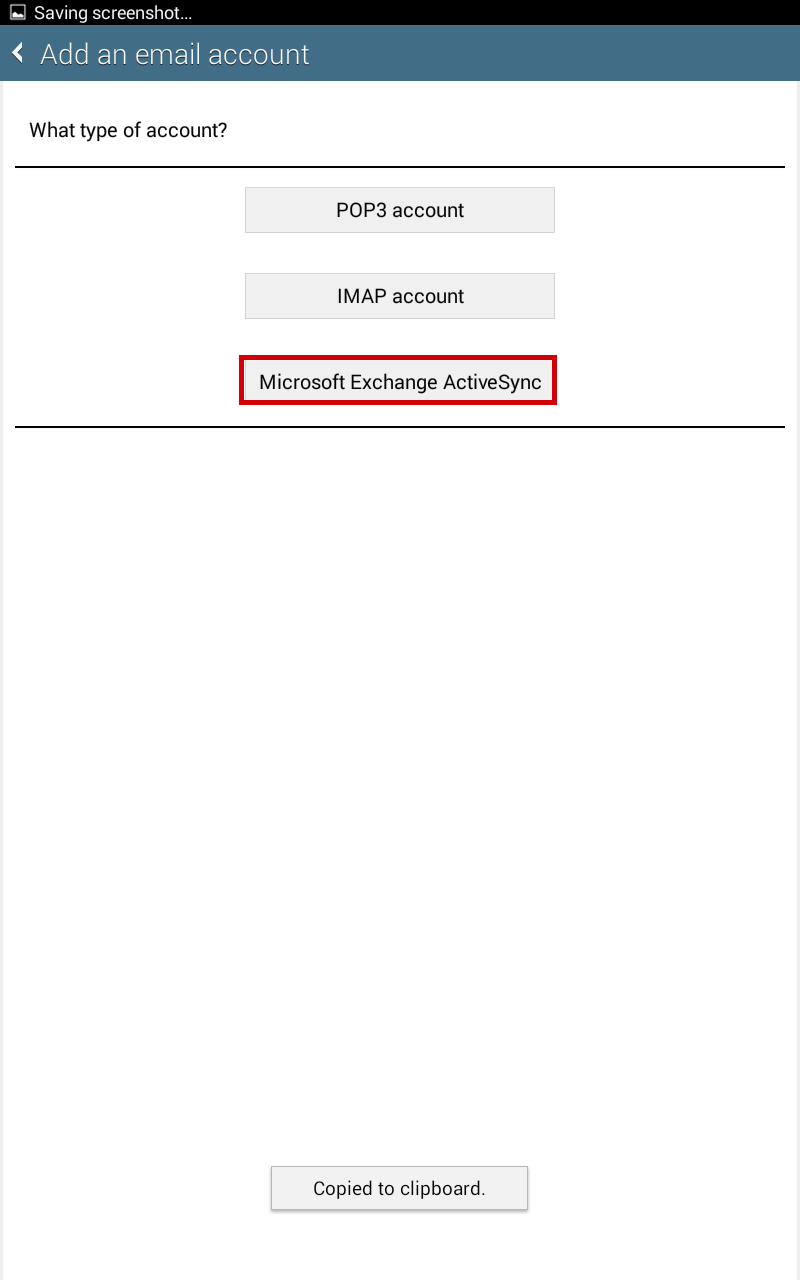
Select "Microsoft Exchange ActiveSync"
4
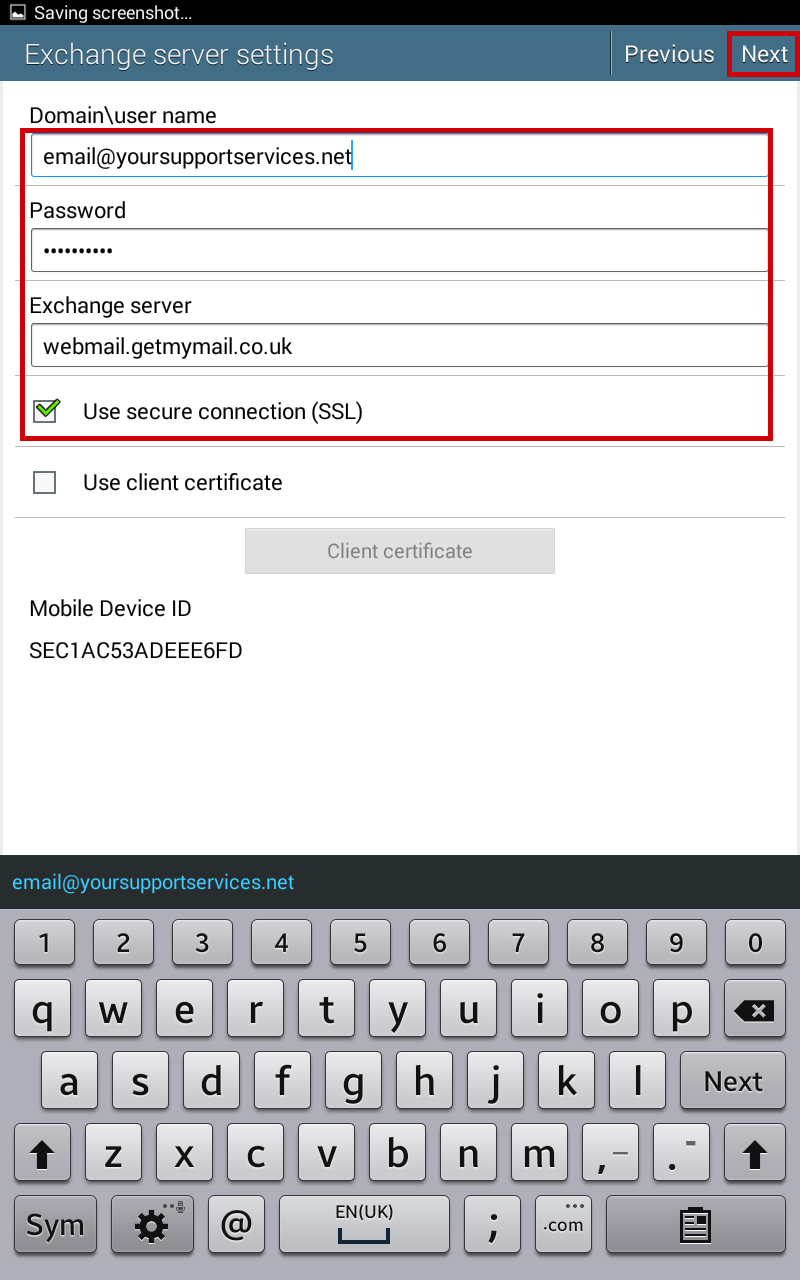
Enter requested info and click "next"
| Domain\username : | email@yoursupportservices.net |
| Password : | This is the password you associated with your mailbox in the control panel |
| Exchange Server : | webmail.getmymail.co.uk |
| SSL : |  |
5
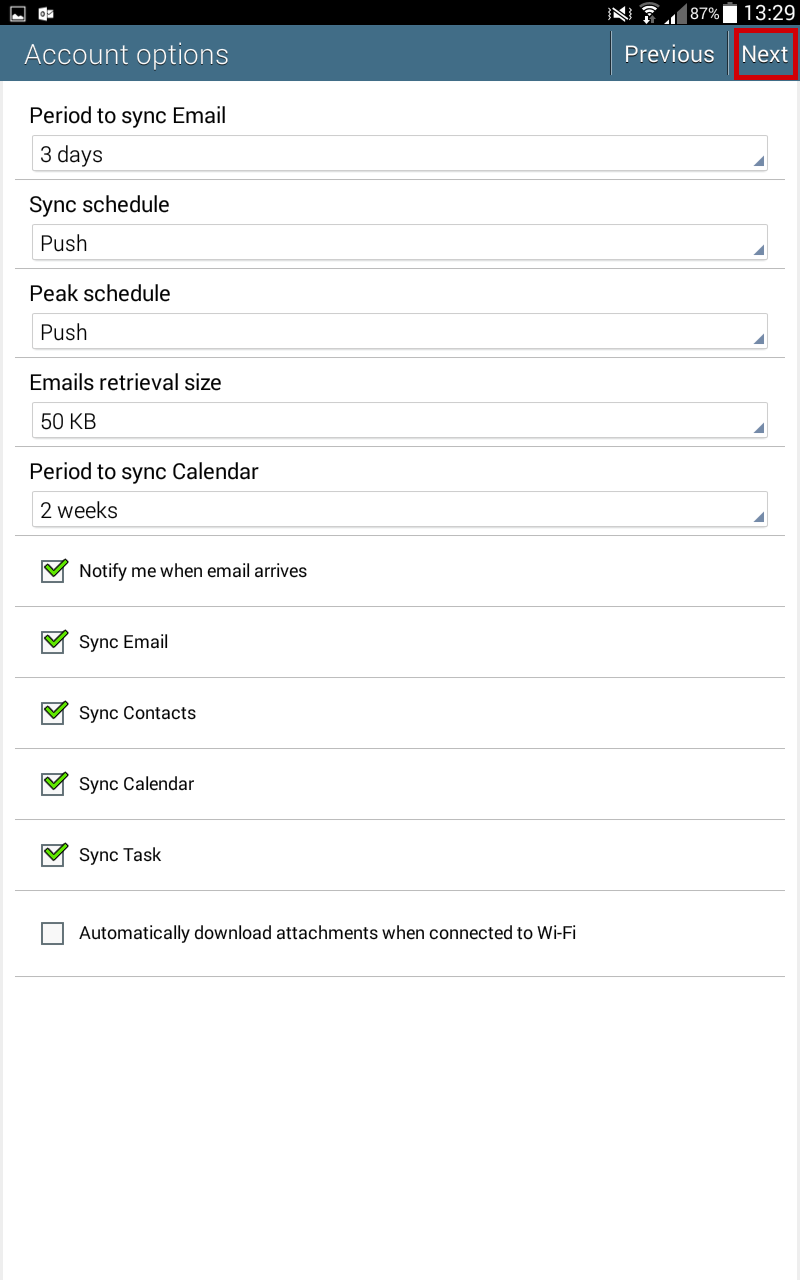
Configure your prefrences and click Next
6

Enter an Account Name and click Done