TO SET UP EMAIL USING GET MY MAIL MOBILE ADDIN FOR iOS
1

Select the Settings button from the iPhone’s main screen
2

Select Mail, Contacts and Calendars
3

Select Add Account
4
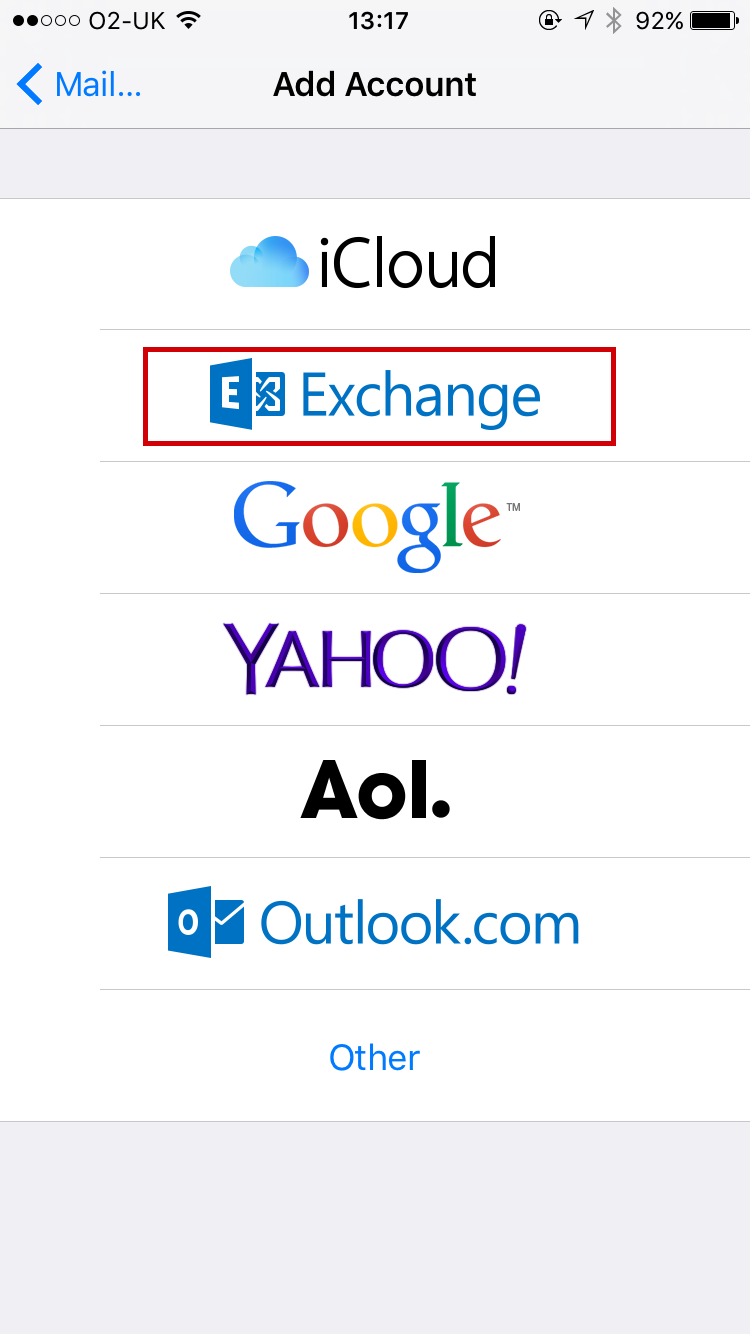
Select "Exchange"
5

On the New Account screen enter the requested information and click Next
| Email : | Your email address |
| Password: | This is the password you associated with your mailbox in the control panel |
| Description : | A description you can use to identify the account |
6
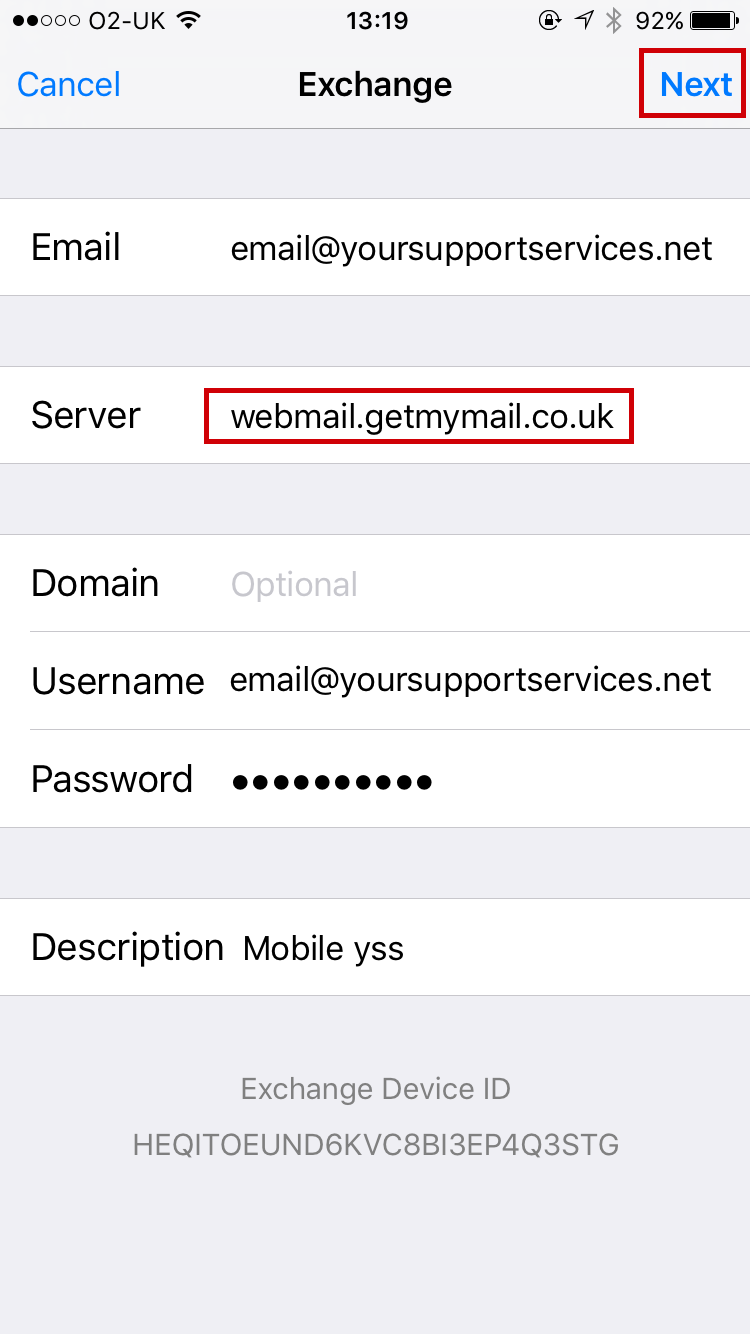
On the next screen enter a server of "webmail.getmymail.co.uk" and click Next
7
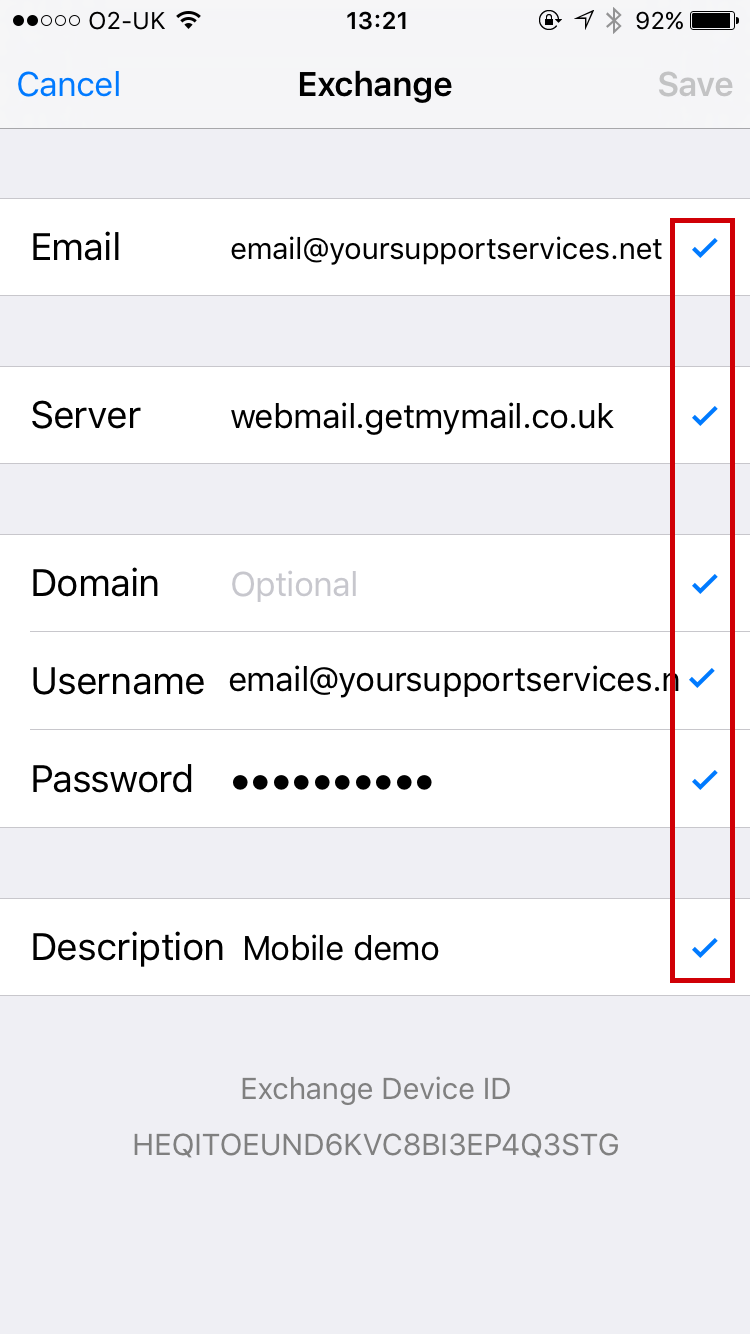
If your settings are correct they will verifi by displaying a "tick"
8
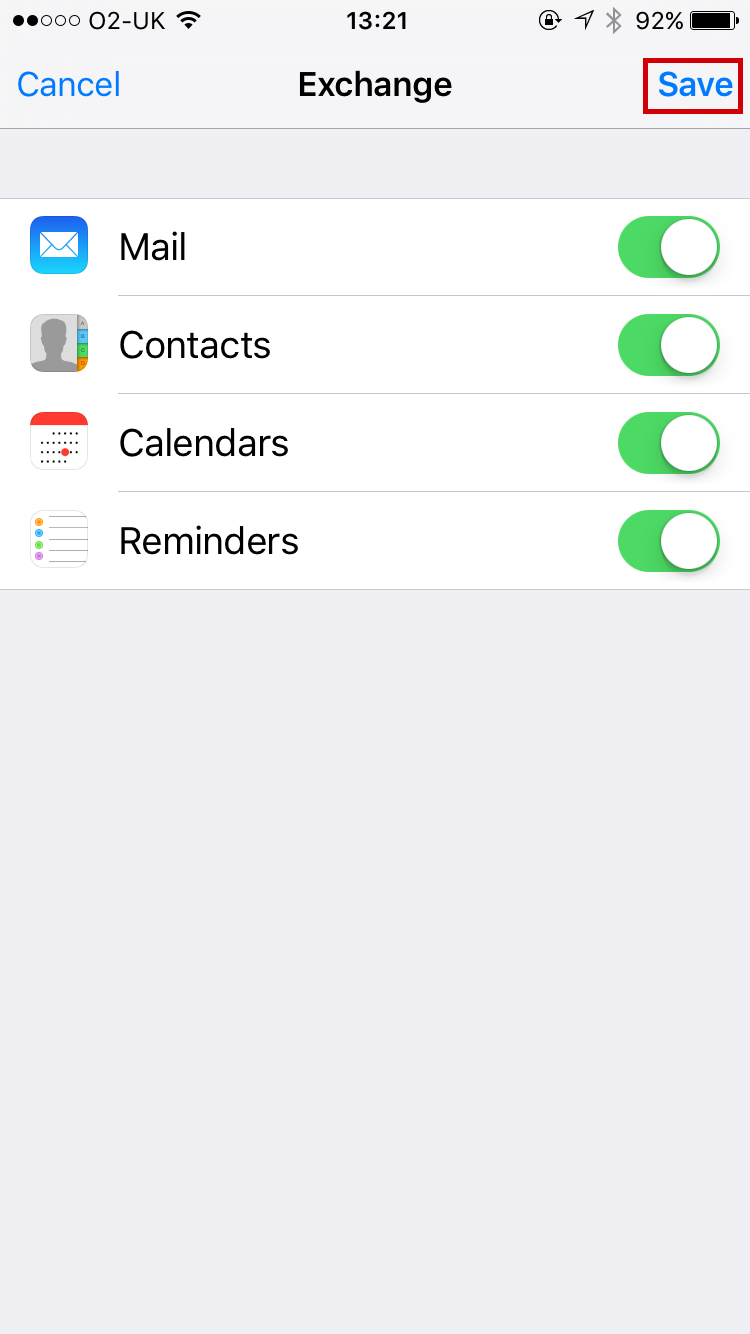
Click "Save"
9

You can now see your created mail box, click the Mail App to send and receive