
QUICK SETUP IN OUTLOOK 2013
1
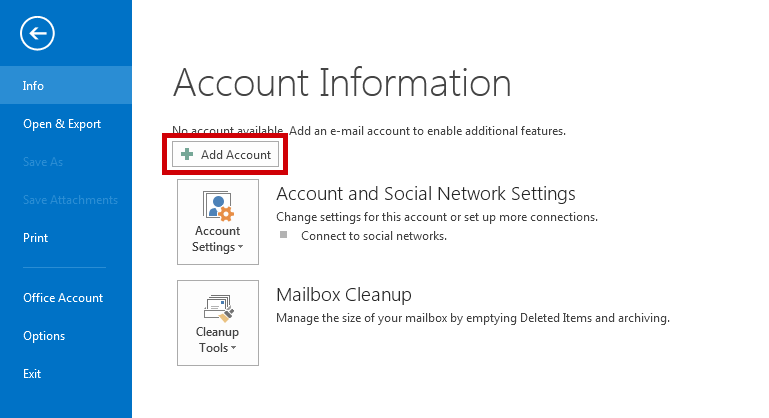
Start Microsoft Outlook 2013 from the start menu. Click File, and then click Add Account.
2

Enter the following information and click Next
USER INFORMATION |
|
|---|---|
| Your Name : | Your Name |
| E-Mail Address : | your.name@domain.com |
| Password : | This is the password you associated with your mailbox in the control panel |
Your Name
your.name@domain.com
3
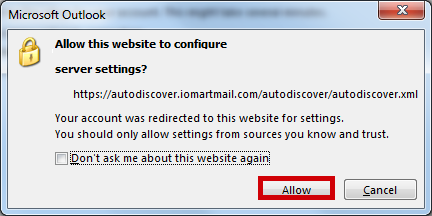
Click "Allow To Use Our Auto Discover Tool"
If you have an existing mailbox configured you can skip this step as the prompt may not appear
your.name@domain.com
4

Your email Account is now setup, click "Finish"
your.name@domain.com settings