
1
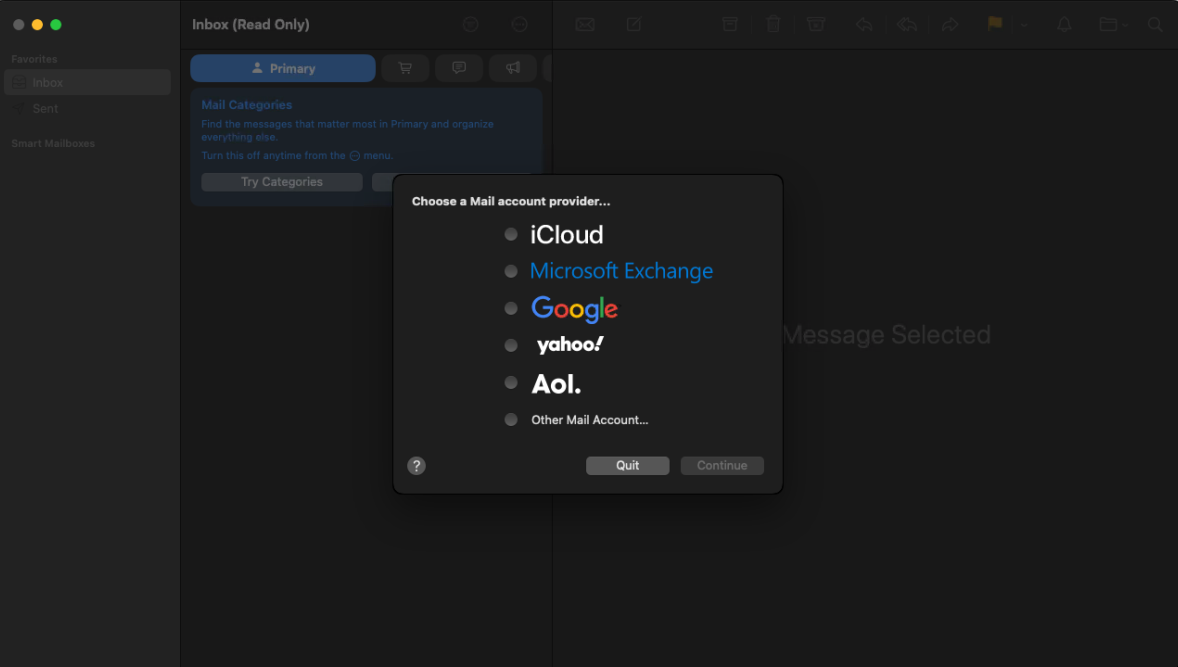
Go to Mail > Add Account
Other Mail Accounts > Continue
2
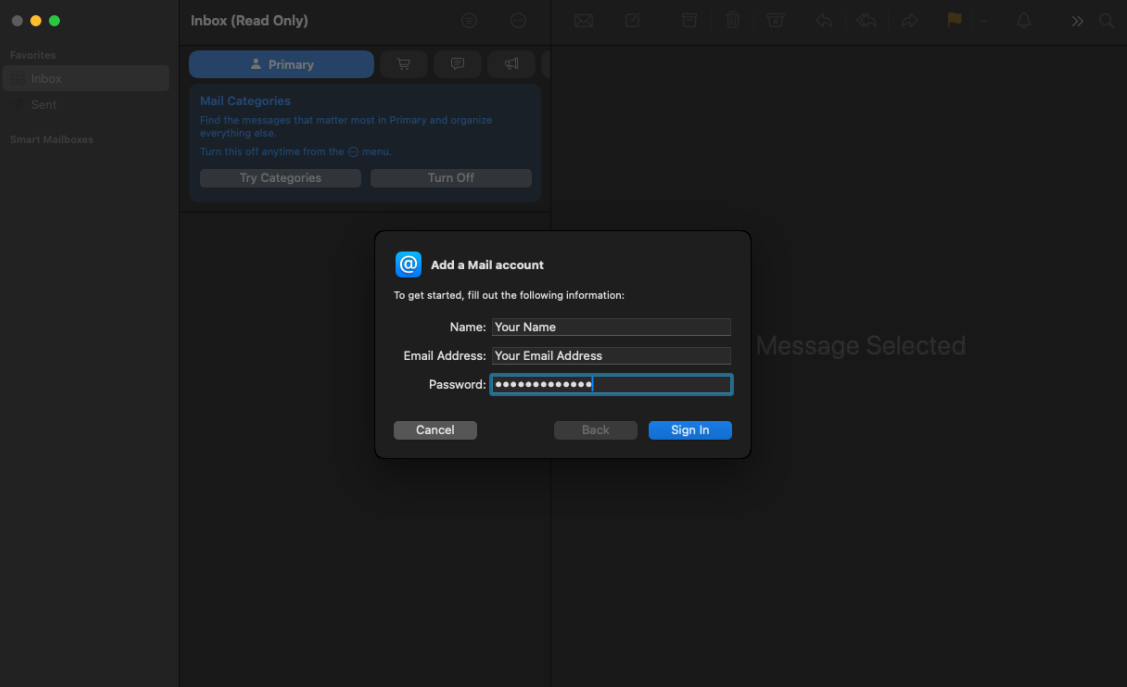
Fill out the fields with your email account details:
| Name: | Your Name |
| Email Address: | your.name@domain.com |
| Password: | Your Password |
Click > Sign In
3
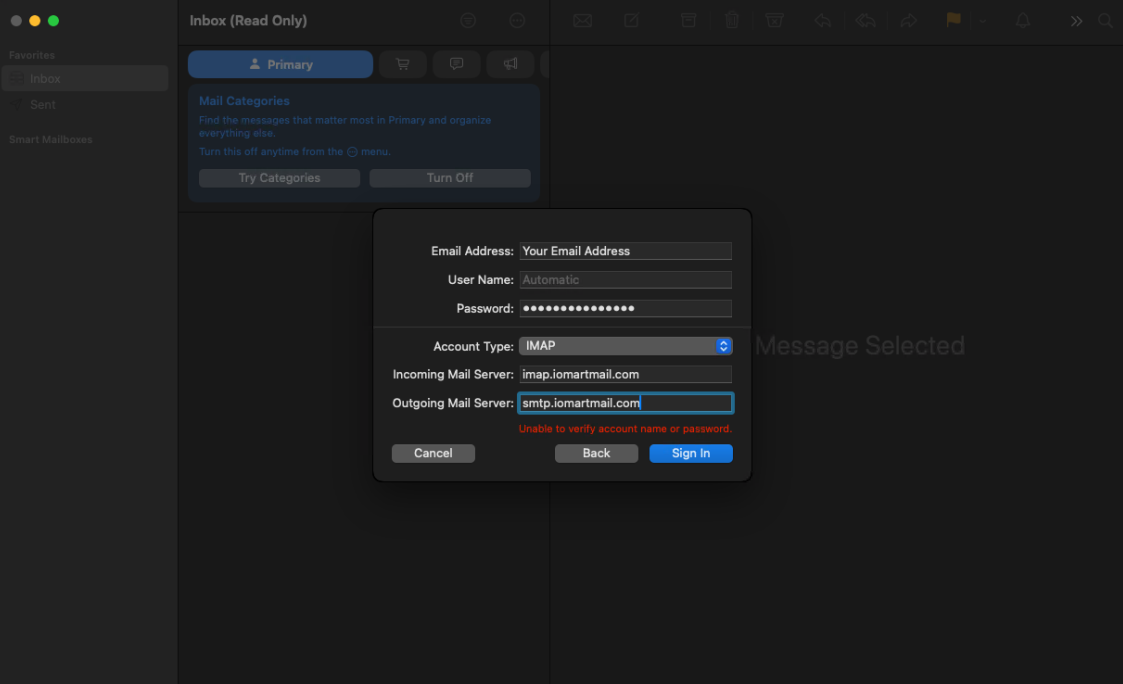
Fill out the fields with your email account details:
| Email Address: | your.name@domain.com |
| Username: | your.name@domain.com |
| Password: | Your Password |
| Account Type: | IMAP |
| Incoming Mail Server: | imap.iomartmail.com |
| Outgoing Mail Server: | smtp.iomartmail.com |
Click > Sign In
4
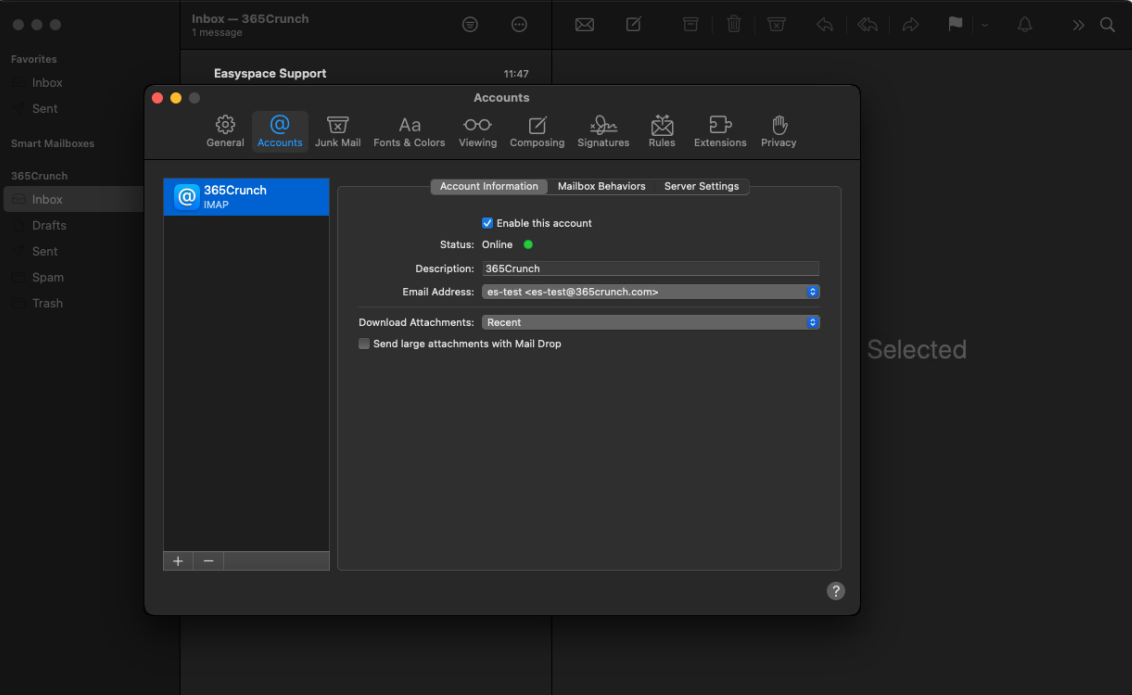
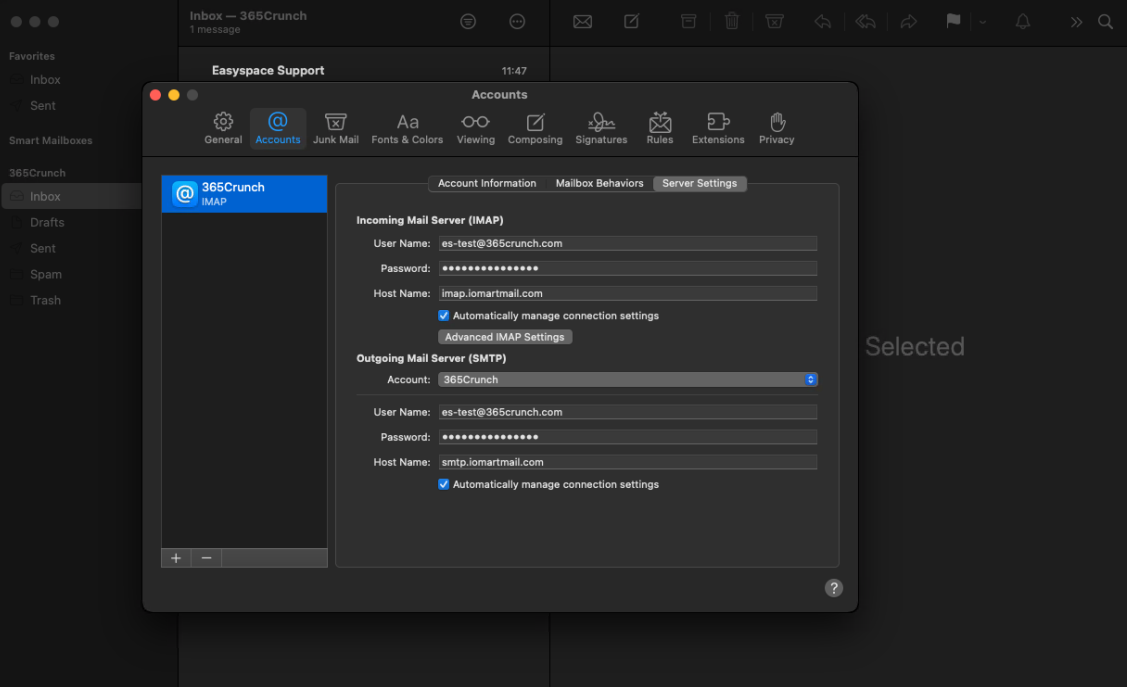
To check or amend the Mail Settings, go to:
Mail > Settings
Account Information:
Ensure "Enable this account" is ticked
Server Settings:
Check that the correct information is added correctly