
Go to Mail > Settings
Select your Email Account and go to Server Settings
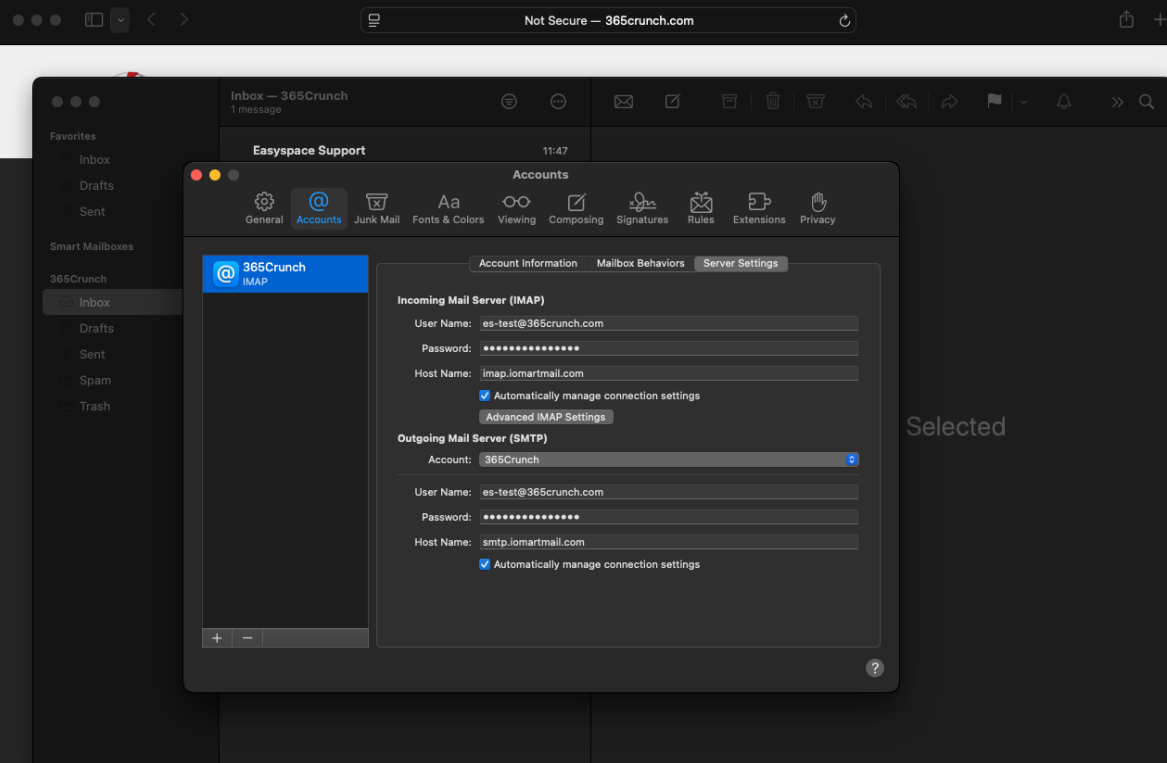
From this page, you can change the following:
Incoming Mail Server
| User Name: |
| Password: |
| Hostname: |
Outgoing Mail Server
| User Name: |
| Password: |
| Hostname: |
To edit the SMTP Servers, go to Outgoing Mail Server (SMTP) > Account > Edit SMTP Server List
You will see a list of SMTP Servers
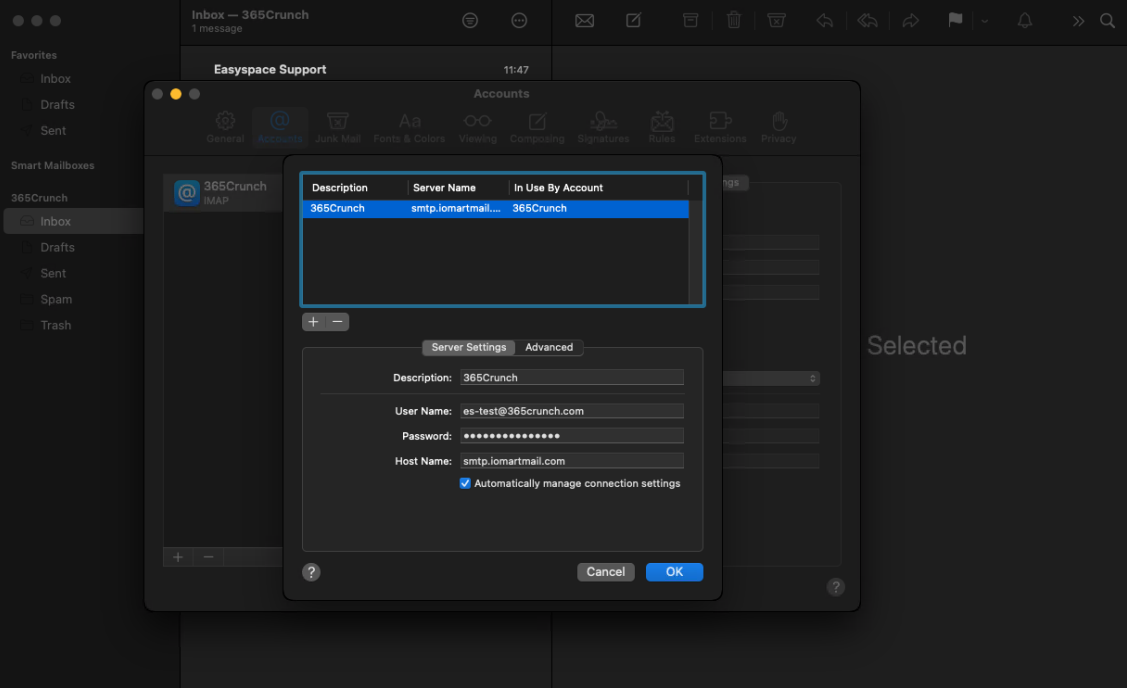
You can check the settings for each SMTP Server listed on Mac Mail.