
How do update whois contact details
1
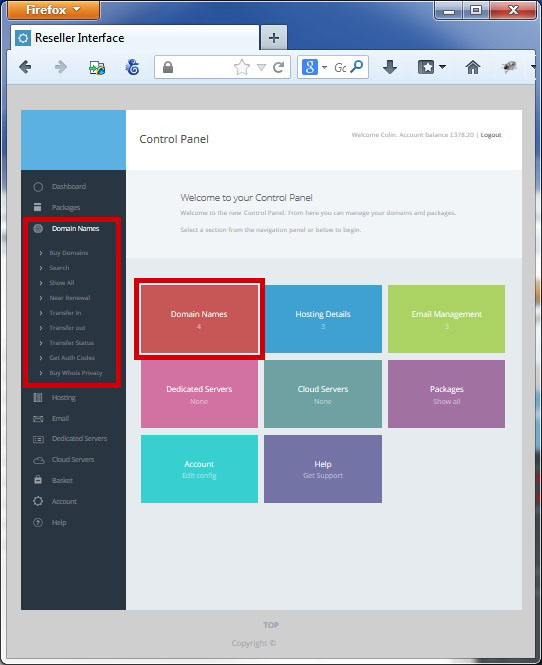
To update the whois details for a domain name select domains from the "left hand side" or "main screen" navigation
2
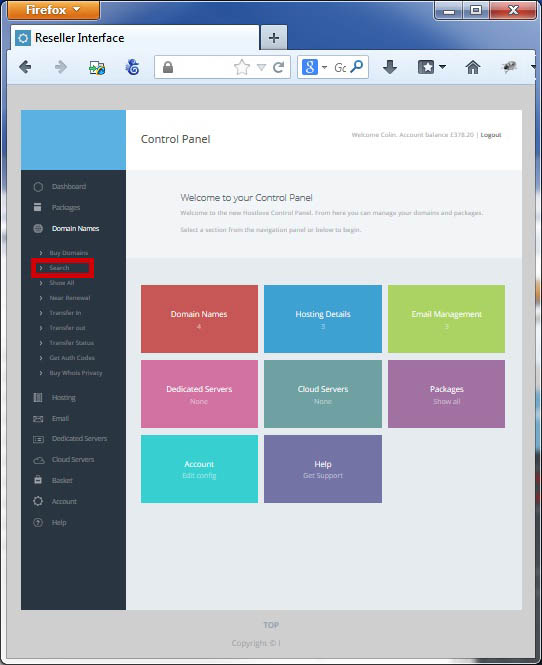
Select "Search" under the Domain Names section on the Left Hand Navigation Bar
3
Search for the domain you want to update the whois details for

Changing the WHOS info
1
You can update the owner details by clicking on the Name under the Owner Heading

2
Update the details as required and click "Submit Contact Details"

3
Navigate back to the domain page and you will see the owner has been updated

Change Whois details to another contact on your account
1
You can change the contact details (including owner/admin/technical) by clicking "Edit" beside the domain

2
Select the new contact from the dropdown and click the relevant "Change" button - you can also create a new contact by clicking "Create Contact"

 |
Update Contact Details |
Process a Domain in Redemption |
 |