
The following steps guide you through setting up a POP email account on the Samsung Mail App.
1
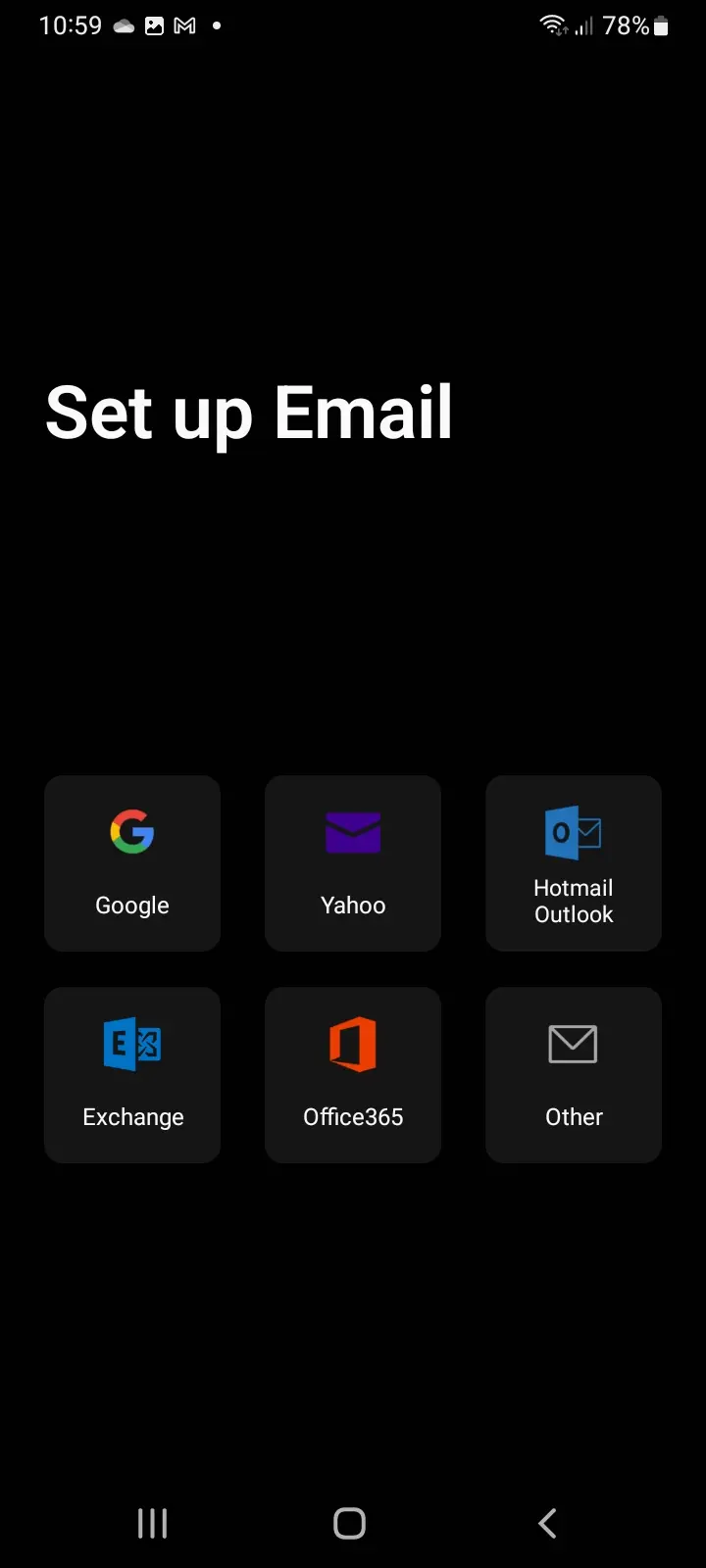
Open the Samsung Mail App and click Other.
2
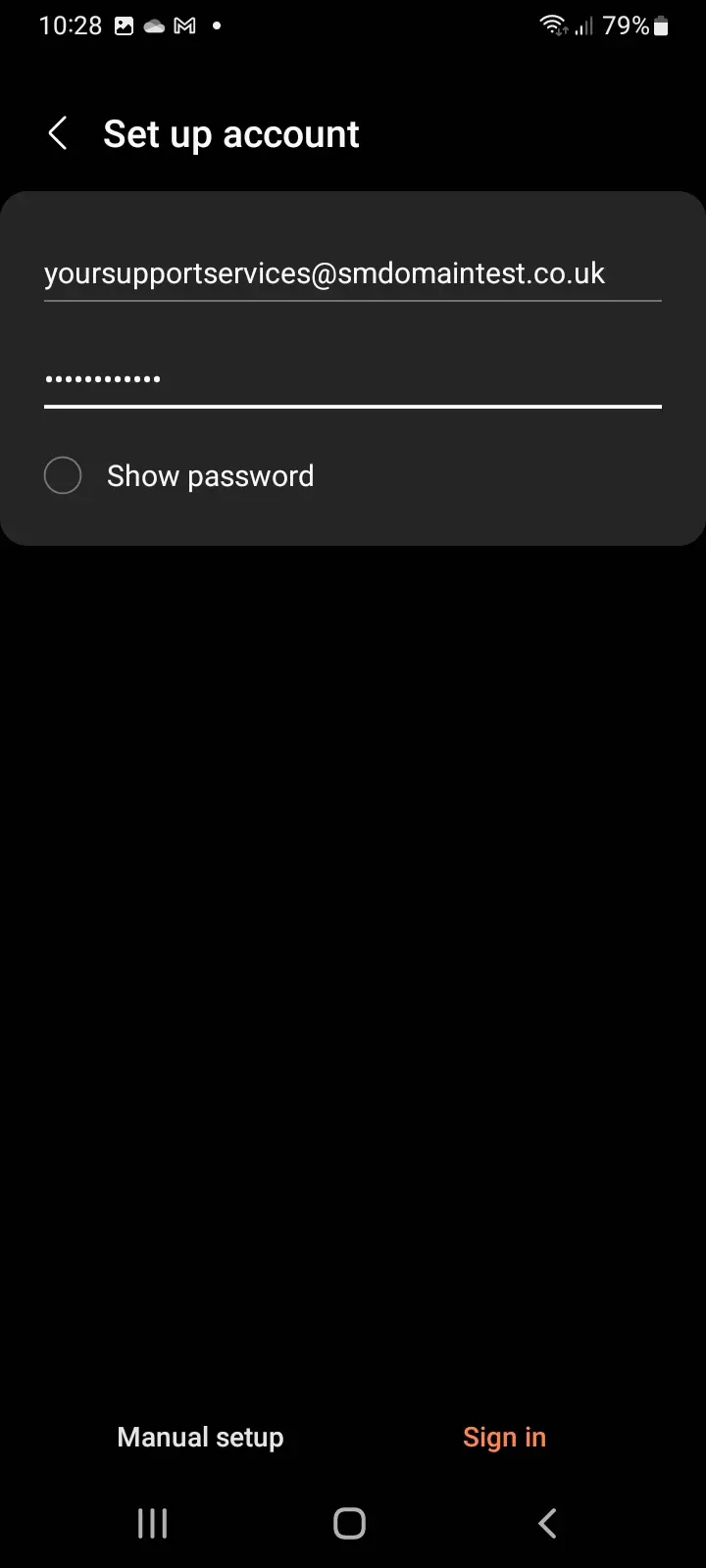
Enter your email address and password, then select Manual Setup.
3
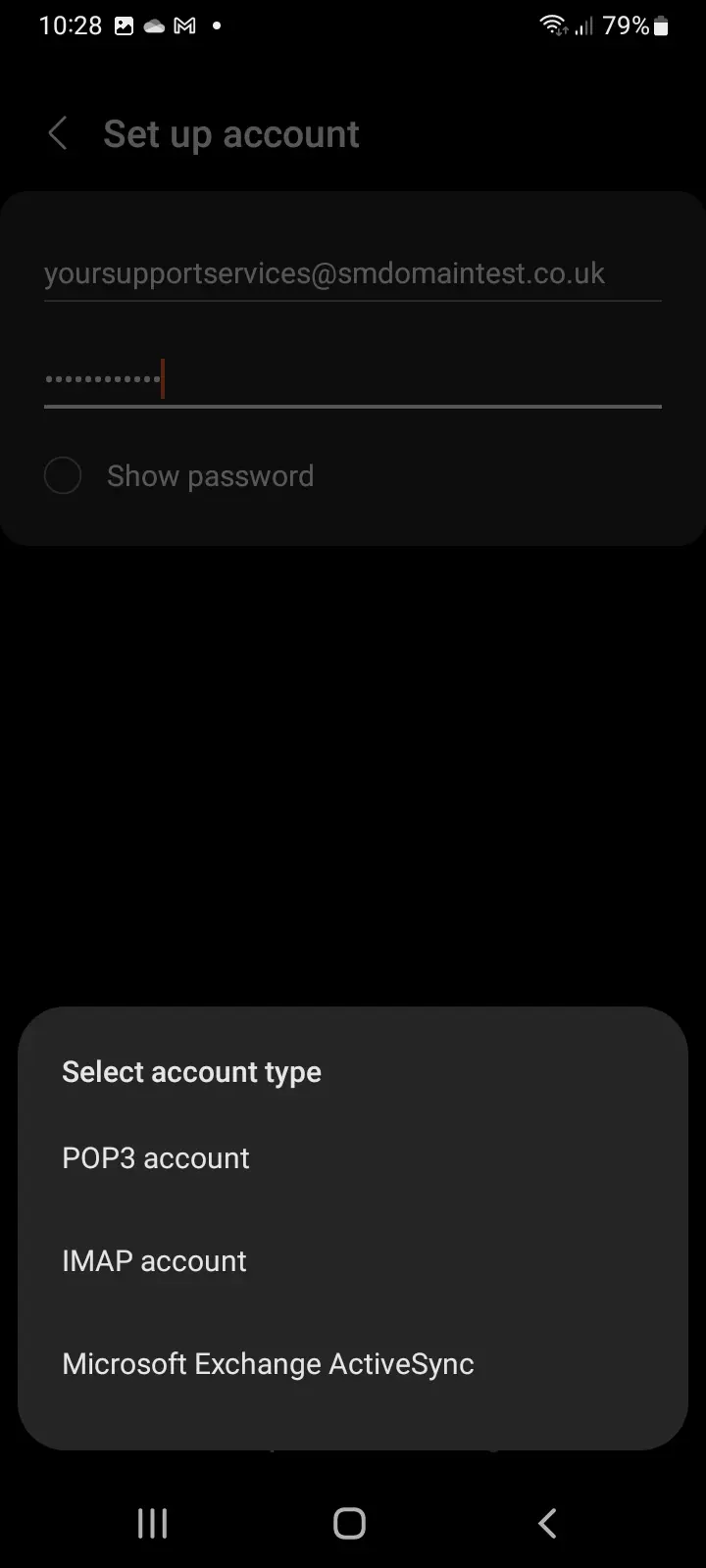
Select POP3 Account.
4
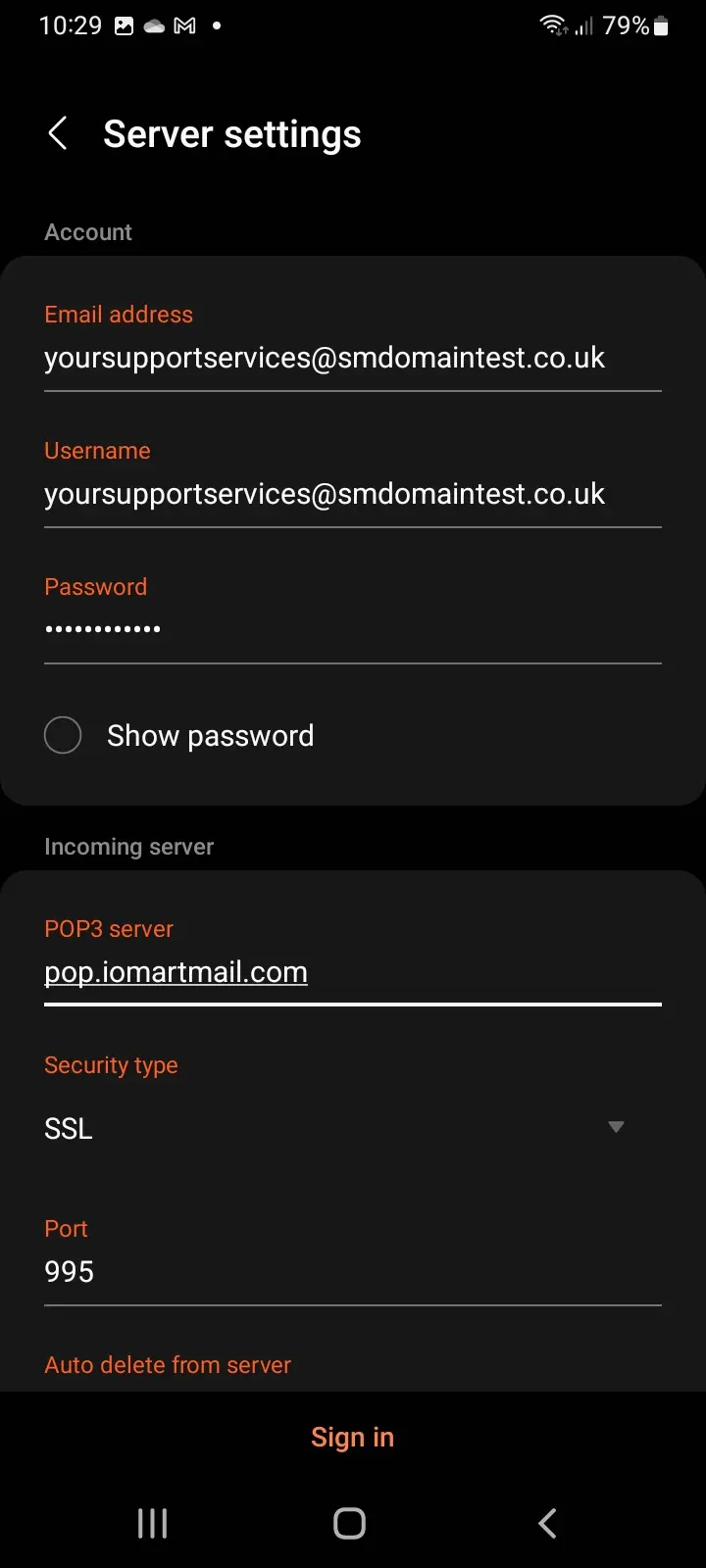
Enter the setup information for your POP email address, including your email address and password.
5
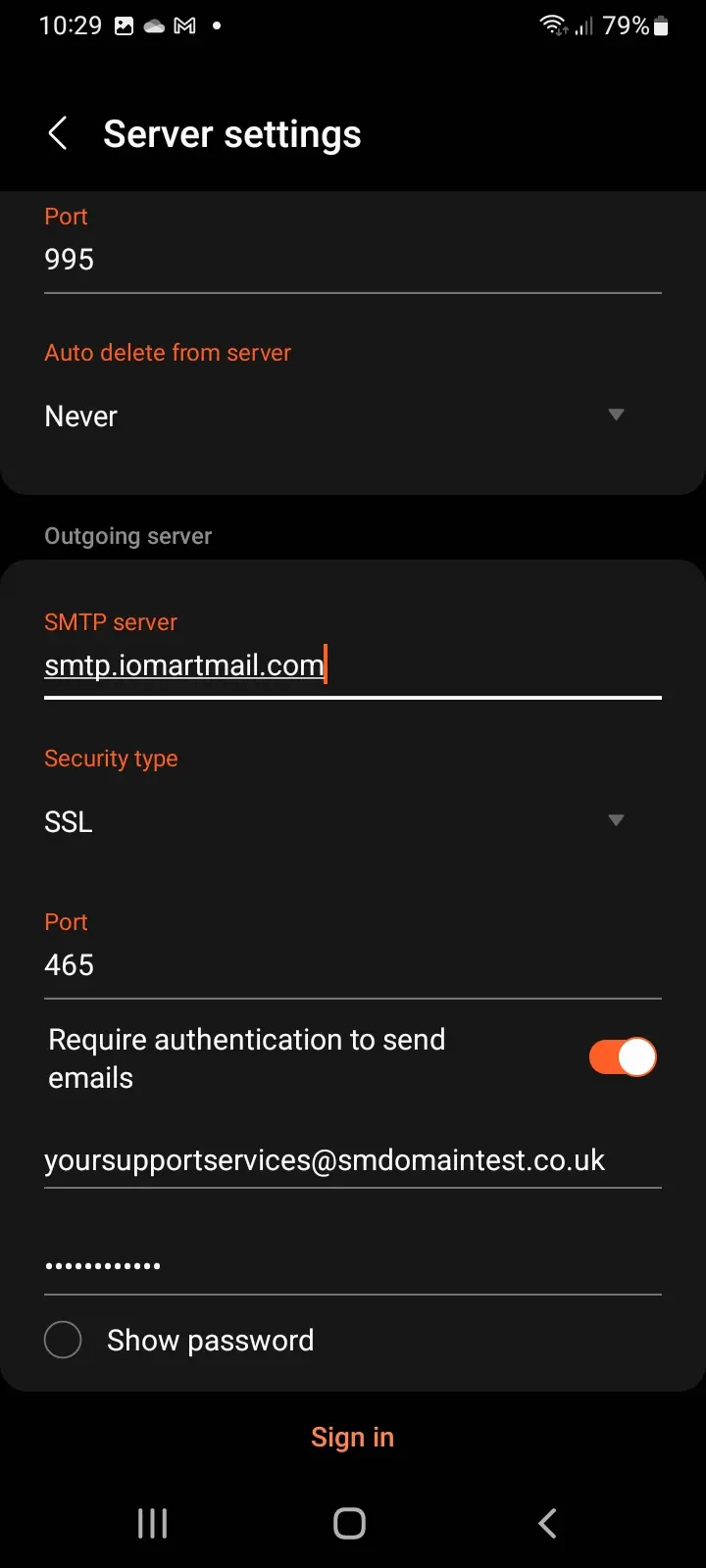
Scroll down and enter the setup information for the SMTP (outgoing) settings. Click Sign in to verify the settings, and the account will be added.
Your email account is now successfully set up in the Samsung Mail App.